Something worth making.
Upload a photo or illustration. Set the size; the image keeps its proportions.
PICTURES, LAYER BY LAYER.
Make art with the spools on your workbench. FilaPic turns your images into layered filament paintings, ready for your 3D printer.
A work in progress, made for makers. Meet the Beta.
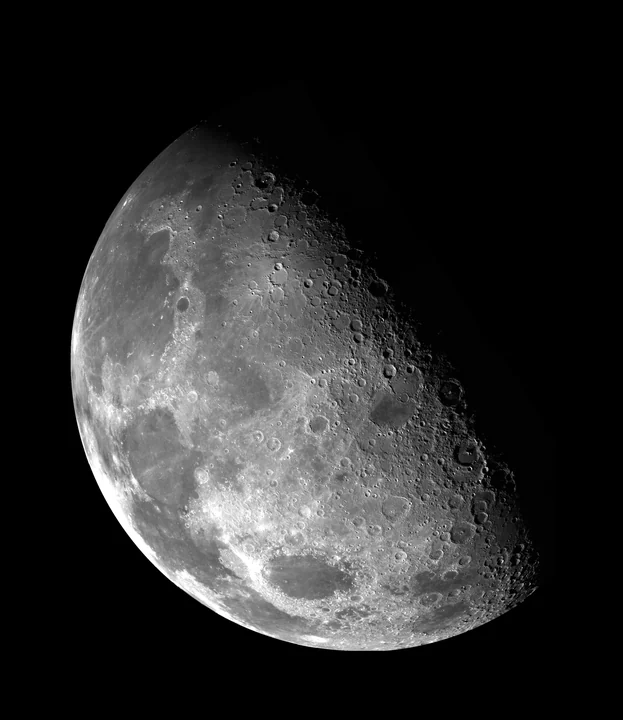
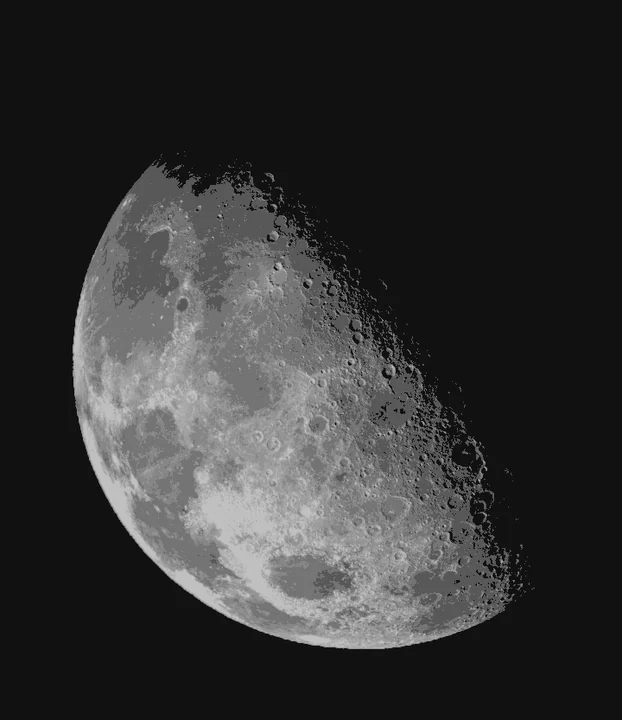
Actual generated example.
Digital estimate, not a print photograph.
A LITTLE INPUT. A LOT OF LAYERS.
No painting masks or writing layer recipes. Bring your image and tell FilaPic which filaments you have.
Upload a photo or illustration. Set the size; the image keeps its proportions.
Confirm your loaded filaments. The automatic search works out their order.
Compare the prediction with the source. Orbit the geometry and explore each layer.
Download your files, check them in your slicer, and match the spools before printing.
THE SAMPLE BENCH
This example went through the actual FilaPic generator. Explore the image, its estimated appearance, and the exported geometry.
Estimated appearance from the generated filament stack. This is a digital prediction, not a photograph of a print.
The 3D viewer uses exported vertices and triangles, with estimated stack colors and illustrative lighting. Depth starts at actual thickness. “Depth ×6” exaggerates only the relief above the backing.
Generated from the original photograph with the same automatic workflow used by the studio.
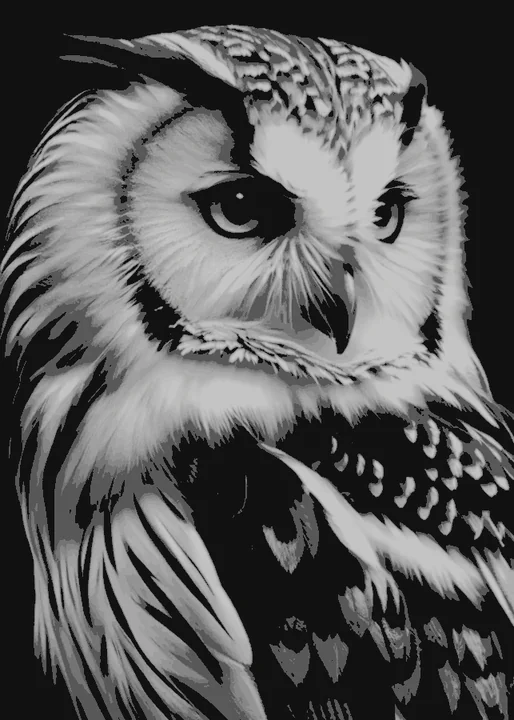
SMALL DETAILS. BIG DIFFERENCE.
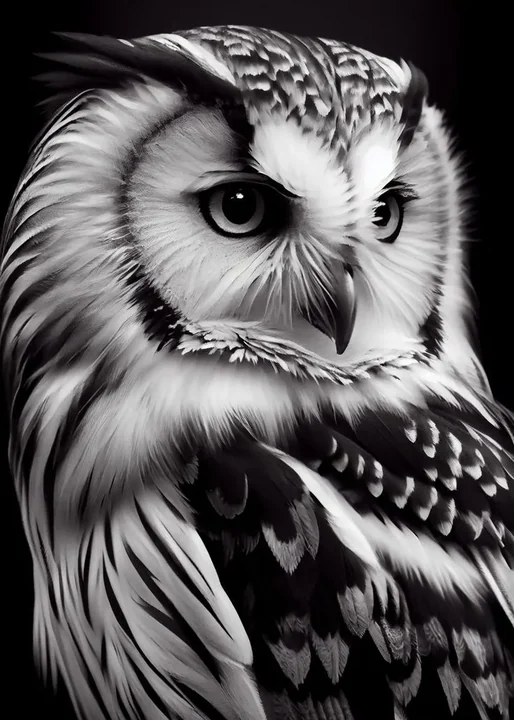
Our owl study puts the detail under a magnifying glass. See what the generator preserves, what it simplifies, and how the exported surface is built.
128.621 × 180 mm · Black + white · 29 layers
Take a closer look at the owl ↗Source artwork: Owl Black / DecoyDesign, as credited in the supplied reference. Estimated appearance and relief generated with FilaPic; physical print appearance is unverified.
A LITTLE MATERIAL SCIENCE
Thin layers let the color underneath show through. The same spool can look different over a dark or light base.
FilaPic searches for a useful stack from your available filaments. The preview is an estimate: your spools, printer, and lighting have the final say.
Watch the layers build ↑04 / OFF THE SCREEN
Try the generated Moon project on your own workbench.
Get the P2S sampleOpen the 3MF in Bambu Studio using “Open as project” to retain the included P2S settings and layer changes.
Choose “Slice plate.” In Preview, select Filament and move through the layers to see how the picture is built.
Confirm black and white against your AMS slots. Check the plate and settings before sending the job from your slicer.
BETA / WHAT WE'RE WORKING TOWARD
FilaPic is in Beta. These are our next priorities, guided by slicer checks and real print comparisons. They are planned improvements, with no fixed release dates.
Balance detail, print time, and material use. Preserve small features while making the painting more practical to print.
Improve stack selection and filament calibration for more spool combinations, more reliable shades, and richer color.
Reduce abrupt ridges and stray peaks while retaining the eyes, feathers, and edges that give a picture its character.
Improve subject separation and relief transitions while accounting for how height changes the printed color.
A FEW THINGS TO KNOW
FilaPic creates a shallow, solid relief for filament painting. Height controls the layers of color in each region. It does not reconstruct the anatomical or physical depth of the subject.
The automatic workflow works from your image and available filaments. It chooses a global color stack without asking you to pick regions or write a layer recipe.
The appearance is an estimate based on filament layer optics. Your spool, material, printer, and lighting affect the physical result. These examples have not been physically print-validated.
The downloadable sample is configured for a Bambu Lab P2S with a 0.4 mm nozzle, PLA, and a Textured PEI plate. It includes layer-based filament changes. Verify your loaded spools and slicer settings before printing.
Yes. Open the studio, upload an image, confirm your filaments and generate a P2S project. Upload PNG, JPEG, or WebP images up to 16 MiB. Large photos resize automatically before processing. Paintings support a longest edge up to 250 mm inside the P2S’s 256 × 256 mm plate, with a 3 mm margin on each side. Files belong to your private browser session and expire after 24 hours of inactivity. Download your results to keep them.
FROM YOUR NEXT IDEA TO YOUR NEXT PRINT.
Your image. Your filaments. Your next experiment.